Overview of Mint vs YNAB
You’re fed up with money slipping through the cracks and need a system that actually works. Budgeting apps promise exactly that—clear insight, disciplined spending, and faster progress toward goals. The showdown today is Mint vs YNAB (You Need A Budget). Both claim to boost budgeting effectiveness, but they take opposite routes.
Consider Alex, a 28‑year‑old graphic designer earning $55 k. He wants to trim his discretionary spend by 15 % and build a $5 k emergency fund in six months. With Mint, Alex simply links his bank, credit cards, and subscriptions. The app auto‑categorizes every transaction and flags bills that are due. With YNAB, Alex must manually assign each incoming dollar to a specific category—rent, groceries, savings, fun—before he can spend it. The difference is hands‑off versus hands‑on.
The key pain point for most users is effectiveness: does the tool actually help them stick to a budget? Mint’s strength lies in automation and a free price tag, making it easy to start and stay informed. YNAB’s strength is its proactive philosophy; users report an average 20 % boost in savings after three months of consistent use (YNAB internal data). Both apps also shape the user experience—Mint offers a sleek dashboard with visual charts, while YNAB provides a clean, rule‑driven interface that forces you to think about every dollar.
In the sections that follow we’ll dive deeper into features, usability, and real‑world impact. By the end you’ll see which side of the Mint vs YNAB debate aligns with your habits and financial goals.

Feature Comparison Table
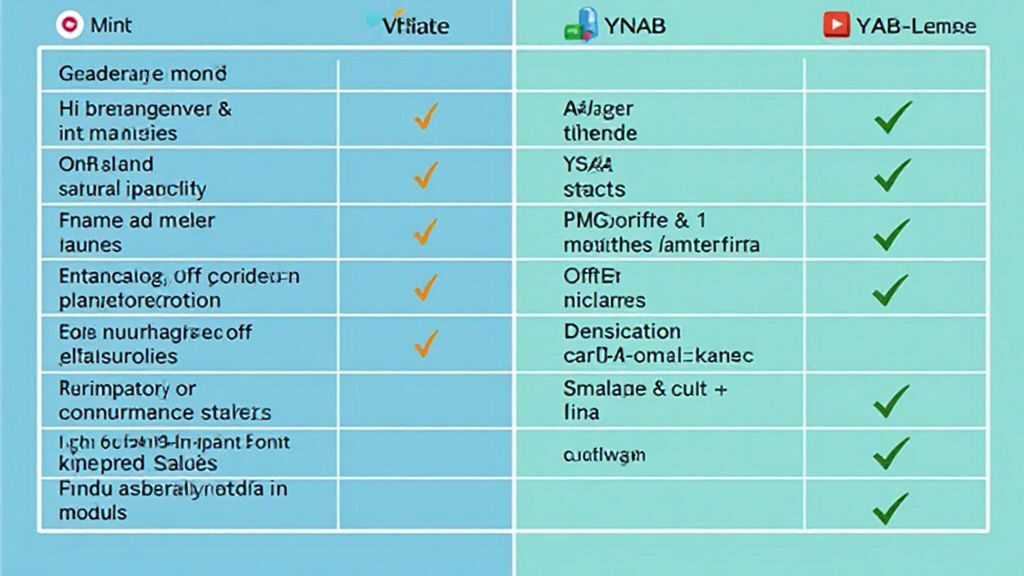
When you’re stuck on mint vs ynab, the fastest way to decide is to line up the core features side by side. Both apps sync accounts, track spending, and help you set limits, but they differ in how much automation they give you and what you pay for.
| Feature | Mint (Free) | YNAB (Premium) |
|---|---|---|
| Account sync | Unlimited banks, credit cards, loans, investments (auto-import) | Banks, credit cards, loans (manual or auto-import) |
| Budgeting method | Automated categorization; alerts when you overspend | Zero-based, manual dollar-assignment to every category |
| Cost | $0 | $6.99 / month or $83.99 / year |
| Investment tracking | Yes (free) | No |
| Credit-score monitoring | Yes (free) | No |
| Mobile UI | Dashboard with charts, quick-look widgets | Clean list view, “Age of Money” metric |
Key Features Analysis
Sync & Automation – Mint pulls data from a wide range of institutions without any setup fee. Maya, a college sophomore, links her part-time paycheck, student loan, and campus meal plan in minutes and sees every transaction appear instantly. YNAB also syncs accounts, but its strength lies in the manual step of assigning each incoming dollar to a specific bucket.
Budgeting philosophy – Mint’s auto-categorization works for beginners. If Alex spends $620 on dining in a month, Mint flags a 20 % overspend and suggests a cut-back. YNAB forces you to decide before you spend: every dollar gets a job (rent, groceries, savings). This “give every dollar a purpose” rule is credited with an average 20 % increase in savings after six months, according to YNAB’s internal data.
Cost vs value – Mint is free, making it ideal for students or anyone testing the waters. YNAB’s $6.99 monthly fee adds up, but the disciplined approach often yields higher net savings. If you’re comfortable with a little extra effort, YNAB can turn budgeting into a habit rather than a passive report.
Looking for more options? See the full rundown of student-friendly tools in the guide on Best Budgeting Apps for Students. This side-by-side view should help you decide which side of the mint vs ynab debate fits your style and goals.
Advanced Use-Cases Examination
When you compare mint vs ynab in a real-life setting, the differences go far beyond basic expense tracking. Both platforms can handle tangled finances, but they each excel in distinct scenarios. If you juggle several accounts, investments, and debt, the right tool can turn chaos into clarity.
Real-World Applications
Multi-account aggregation – Mint pulls data from unlimited banks, credit cards, loans, and even crypto wallets with a single click. Imagine Maya, a freelance designer who earns from three sources: a checking account, a PayPal business account, and a credit card used for client expenses. Mint automatically groups all five of her accounts, flags duplicate charges, and shows a consolidated cash-flow chart in seconds.
Debt-payoff focus – YNAB doesn’t auto-track investments, but its “Debt Snowball” and “Debt Avalanche” templates force you to allocate every dollar toward a specific loan. According to YNAB’s internal survey, 71 % of users who follow the debt-payoff plan clear their balances 30 % faster than before.
Goal-driven budgeting – YNAB’s manual assignment lets you earmark money for a vacation, emergency fund, or a new laptop before you spend it. Mint, meanwhile, offers visual goal meters that update automatically as transactions flow in.
Actionable Steps
- List every financial connection – Write down banks, credit cards, loan accounts, and investment platforms.
- Choose the aggregation style – If you want “set-and-forget,” sign up for Mint and link all accounts. If you prefer to see each dollar’s purpose, start a YNAB budget and manually assign incoming funds.
- Set a debt-payoff rule – In YNAB, create a “Debt” category and allocate a fixed amount each pay period. In Mint, enable the “Debt Reduction” widget and set a monthly target.
- Monitor progress weekly – Use Mint’s dashboard or YNAB’s “Age of Money” metric to spot trends and adjust allocations.
- Refine with a strategy guide – For deeper debt-management tactics, follow the checklist in our article on Debt Management Strategies & Plans.
By matching the complexity of your financial life to the strengths of either Mint or YNAB, you turn a tangled web of accounts into a streamlined, goal-focused system. The right choice depends on whether you value automated aggregation or hands-on control—both can deliver serious results when used correctly.

Conclusions and Recommendations
The mint vs ynab debate comes down to two philosophies: automated overview versus hands‑on control.
Mint pulls every transaction automatically, offers free credit‑score monitoring, and visualizes spending in a single dashboard.
YNAB forces you to assign each incoming dollar to a category, a zero‑based method that YNAB reports boosts savings by an average 20 % after three months.
Maya, a college student, saved 10 hours a month by letting Mint auto‑categorize her spending and still hit her $2 k emergency‑fund goal.
Alex, a freelance web developer, cut his discretionary outflow by 15 % after a month of manually budgeting with YNAB.
Both saw real money move to savings, just through different paths.
Which one fits you?
- If you have multiple bank, credit‑card, and investment accounts and prefer a set‑and‑forget experience, Mint’s aggregation is the clear winner.
- If you thrive on intentional planning and want every dollar to have a job, YNAB’s manual assignment will keep you accountable and often accelerates debt payoff.
Next Steps
- Try the free version – Sign up for Mint or start YNAB’s 34‑day trial. Link one account and see how the data looks.
- Set a short‑term goal – Choose a concrete target (e.g., $500 emergency fund) and track progress for two weeks.
- Measure results – Record the time you spend budgeting each week and the amount saved. Adjust the tool if the effort‑to‑reward ratio feels off.
Ready for a deeper dive? Check out our step‑by‑step checklist and practical tips in the
Personal Finance Tips guide.
It walks you through picking the right app, setting up categories, and staying consistent.
In short, both Mint and YNAB can sharpen your financial picture. Pick the one that matches your style, follow the simple steps above, and you’ll be on the fast track to smarter money management.